Super Affiliate Tips

Subscribe to my Super Affiliate Secret Tips Newsletter and get Exclusive Promotions, Updates and Mailings!
Name:
Email:

RSS Signup Form

Stay up-to-date with the
latest affiliate marketing secrets
from Super Affiliate Zac Johnson!

Archive for the 'Super Affiliate Guide' Category

April 20th, 2008

Super Heroes, Celebrities and More at ComicCon NY 2008

ComicCon is the elite convention of the year for geeks, comic fans, sci-fan fanatics and anyone just looking to have some fun. The event was held at the Jacob Javitz Center in New York City, so you know it’s going to be a huge event. This was my first ComicCon, so I wasn’t sure what to expect, but I thought it was pretty cool and would definitely visit again. Here are just a few pictures and events from the show.

Comics, Movies & Entertainment
ComicCon isn’t just about comics, it also focuses on gaming, entertainment movies and more. There were hundreds of exhibitors and vendors, with the majority of them selling comics and collectibles. One of the premiere booths at the event had an Action Comics #1 issue on display, which is the first appearance of Superman. This comic is currently valued in at $1,380,000 in mint condition. The picture of the Action Comics #1 issue shown here is rated a 8.5 out of 10, which is pretty amazing and extremely rare to find.

Everyone’s a Super Hero!
One of the highlights of ComicCon is seeing attendees show up in their super hero outfits. While some were kind of horrible, others were amazing. Just two of the awesome costumes I saw was one for Hell Boy and Mr. Freeze & the Joker.


Fans with Dedication: Hellboy, Mr. Freeze & The Joker Costumes

Alex Ross Autograph and Meet & Greet
One of the more famous and well known artists for both Marvel and DC is Alex Ross. At ComicCon they have several autograph sessions, but you need to get a ticket in advance to get in line and meet with the artists and celebrities. I was near the line and a kid had to leave and wanted to sell his ticket, so I gave him $10 and went to buy a book illustrated by Alex Ross.

Lou Ferrigno was right next to Alex Ross, and stayed at his table from 11am-7pm through all of Saturday. There was no ticket required to see the original HULK star, just $20 for a signature! Not a bad deal just sitting back at ComicCon all day, pushing $20 in your money bag all day.


Alex Ross & My Signed MARVELS Book

Frank Miller & Eva Mendes blow of Awaiting Fans
One of the most anticipated meet and greet of the whole event was one with Frank Miller and Eva Mendes. Frank Miller is the creator and director of the super famous movie 300, and Eva Mendes is a well known celebrity who will be starring in Frank’s new film “The Spirit”. After getting to meet and have Alex Ross sign my book, I bought a $30 limited edition “300″ book for Frank Miller to sign. So about an hour before Miller and Mendes were supposed to come out, people were starting to get in line and once again, you needed a ticket or you would get to see them. Long story short, barely anyone had passes and they were being thrown out of the lines, I finally found someone to buy a ticket from for $30 (others were selling for $200!). Finally it was time for Miller and Mendes to come out, then there was chaos. For some reason apparently Mendes freaked out and left and Miller just stayed behind the curtain and signed a bunch of posters. Instead of meeting them, we walked to the front of the line, got the signed poster and left. It sucked and everyone was super pissed off! Apparently they both attended their movie premier party, but dissed all of their awaiting fans.


Attend “The Spirit” party… blow off ComicCon Fans!… Not cool.

I have a new blog starting up soon which will be dedicated to the comics niche area and being able to attend ComicCon really got me motivated to get that going. In the end, ComicCon was lots of fun pretty cool. I’ll try and make it again next year, maybe even ComicCon in San Diego which nearly 4x larger!

Popularity: 3% [?]

14 Comments » subscribe to my feed

February 4th, 2008

The Super Affiliate’s Guide to Mass Promotion of a Campaign

In this guide, we will focus on how to take an existing offer and try to promote it from many different angles. This will not be a guide on a quick fix on how to make money, but will take some time and effort. Should you follow this guide, you will find that not only have you created a new source of revenue, but also a long-term residual stream and possibly a network web site which can be sold for a decent amount. This guide will focus on the 123InkJets offer available through RocketProfit. I highly recommend that you join their network so you can follow this guide in detail, along with taking a look at their other promotions.

Step 1: Signup for an account at RocketProfit.
(If you already have one, simply login and view your campaign creative.)

Step 2: Write out Your Marketing Plan. (Shown below)
For this guide, your marketing plan will be to setup a new blog, create a new ppc campaign and take advantage of social networking.

Step 3: Find a New Offer & Repeat
Once you have setup your first campaign with all of the marketing techniques above, you can repeat the process. Within a decent amount of time, you can have 3-5 heavy niche traffic sites generating revenue.

#1 - BLOGGING:
Most of you are already familiar with blogging and may already have your own. If not, I recommend you read up how to setup your own blog. To make the most of your new marketing campaign, I recommend that you create a new blog for your new niche market. In this example, you could create something like My-Ink-Blog101.com. The purpose of the blog will is not only serve as an information source, but once you have enough content and traffic on the site, you may soon start to receive organic traffic from the search engines. This means you can start bringing in targeted leads and sales for ink, without having any advertising costs. Within your blog, you will imbed text link and banner ads on your site, which will redirect to your affiliate urls. While an ink jets blog may seem boring, you should think of different ways to stay on topic, while still providing useful content. Blogging about discounts, holiday promotions, different ink jets and toners, paper quality are always great resources. Every day someone purchases a new printer or fax machine, when they need new ink, they will likely search out what they need online.

#2 - pay per click MARKETING:
PPC marketing is one of the quickest and most effective methods for making money with a new campaign. If you are not familiar with pay per click marketing, I recommend you read through my “Super Affiliates Guide to PPC Marketing“. There are many ways to market with ppc. First you can promote a campaign without creating a web site, and using a redirect instead. If you have an existing web site, you can also promote your own landing page or a dedicated blog web site, like we mentioned above. No matter what type of method you use for marketing through PPC, you should always use SUBID or cookie tracking. (For more information on subid tracking through RocketProfit, please read over my review on their network.)


You can easily setup multiple tracking urls using the RocketProfit affiliate area.

GOLDEN PPC MARKETING TIP:
Stretch your ad dollars farther with a new accounts from Yahoo and MSN. When you start a new campaign with Yahoo, you will receive a $25 credit. You can also setup a campaign with MSN AdCenter for an additional $50 credit. The offer is good per credit card. This means that you can setup two separate accounts (if you have two credit cards). Use one account to promote your new niche blog web site, then create a new account to promote the offer directly (using a redirect) or landing page. If you take advantage of both networks, for both marketing techniques, you are looking at a bonus of $150 in ad spending!)

#3 - FORUM / SOCIAL NETWORKING:
The last method of advertising for mass promotion of a campaign, is to utilize existing social networks and forums. Go to any search engine and look up “inkjet coupons” or “discount coupons”. I’m sure you will come across a forum or two that focus on coupons and promotional deals. When you signup to these forums, you can let others know about about your content rich blog, which focuses on the niche products and promotions they are looking for. Referring these types of users to your blog, may actually help you get better indexed in search engines, as visitors may leave comments, link to your blog or email their friends about it. Another free method of advertising is to set your niche blog up on social networks like MySpace, Facebook and Squidoo. The main target is to setup as many resources for your targeted niche area as possible. (Make sure to setup multiple links to your niche blog and your affiliate tracking urls. Check to see how each compare in conversions)

Using all of the techniques about, you should be able to effectively mass promote your new ad campaign. If it sounds like a lot of work, it is. This is a not a get rich over night plan, this is your first step to building a series of established money generating web sites. The idea behind this method of mass marketing is to have some balance and stability to your marketing efforts and business plan. Your ppc marketing efforts should be divided up into two search, one for promotion of your affiliate urls/landing pages, and another for promotion of your niche blog. Over time your blog should grow in rss subscribers and readership, this will take time, but once establish, it will be very profitable. Lastly, once you have an establish blog in place, you can decide on whether you would like to continue to build up your network with a new offer or niche market… or if you would like to try and flip your new blog for fast cash on one of the webmasters / marketing forums.

(This guide is also being used as a resource in the John Chow RocketProfit Elite Retreat Promotion.)

Popularity: 6% [?]

18 Comments » subscribe to my feed

January 4th, 2008

The Super Affiliate’s Guide to PPC Marketing on Microsoft AdCenter

In my first “Super Affiliate’s Guide to ppc Marketing“, I went through the process of setting up your ppc campaign using Google Adwords. Today I will show you how to do the same, using Microsoft AdCenter. If you are already advertising on Google Adwords and just relying on them for your traffic, you shouldn’t be. In addition to Google, you should be adding Yahoo and/or MSN to your arsenal. The fact of the matter is, Yahoo and MSN traffic almost always performs better with ppc campaigns… and I’ve heard this from many of the biggest ppc marketers in the industry. Not only will you see better results, but your ppc and acquisition price will probably be much lower, as you are competing against less advertisers than on Google. So Let’s get started!

Step 1: Signup to Microsoft Adcenter
If you are not currently an advertiser with Microsoft Adcenter, simply click here for their quick signup. You will also receive $50 in FREE CLICKS by signing up through this blog. Once you are signed up, we can walk through the process below on how to setup you campaign and have it running.

Step 2: Find Your Offer and Setup a URL Redirect
Your ppc campaign will only be a strong as the actual offer you promote. For this super affiliate guide, I will setup a ppc campaign for the 123InkJets campaign which is currently on NeverBlueAds and pays around $15 per sale. This offer is one of the most consistent performers on many networks and has a brand name for itself as it’s been around for many years now, not to mention everyone needs ink. When choosing an offer to promote, make sure it’s one that performs well with general audiences, then move into niche areas as you gain more experience. (Click here for my step by step process on how to setup your own url redirect)

Now that you have selected an offer, you can make your own landing page to promote the offer, use your affiliate tracking url… or better yet, setup a url redirect. When starting my own campaigns to test performance, I like to setup url redirect. To do this, I simply register a cheap .com address through GoDaddy, then go into my domain settings have the the domain name auto forward to my affiliate url. For this campaign, I purchased SuperCheapInkJets.com, which now redirects to my NeverBlueAds affiliate url. I went through the MSN AdCenter process below as if I was setting up a real campaign for pushing the 123InkJets offer.

Step 3: Setting up Your PPC Campaign
A: Create Campaign:
Once you are logged into your Microsoft Adcenter account, you’ll see a been green button that says “Create Campaign”, click it.

B: Campaign & Ad Group
On the next page you will be asked to fill in a few fields on your campaign you’d like to setup. The main fields are Name and Time Zones. You can set these up accordingly, as they reflect your time and the type of campaign you will be promoting. The campaign name should be the offer name, then the Ad Group name should be named after the landing page or keywords you will use to promote the offer.

C: Creating Your Ads
After setting up your campaign name, you’ll need to create the actual ad copy that will be used to promote your offer. The Ad title is the most important field, as it’s what users will see first. Your Ad Text description should be short, targetted and to the point, while keeping the customer interested. The Display URL is what the customer will see your we site address as, and Destination URL is your actual web site url.

As you fill in your campaign information, to the right of the form fields it will show you what your campaign ad will actually look like. From the information filled in above, this actual ad would look like the following.

GOLDEN TIP: Display & Destination URL
Take a look at the two ad previews below. If you were a customer searching to buy ink jets somewhere, which would you choose. The majority of people would much prefer to click the first as it has a much more appealing web site url, not to mention it says what the actual product is. The ad on the right is simply displaying the affiliate url from NeverBlueAds. You will see MUCH better click amounts and conversions if you play around with the Display URL and use redirects through GoDaddy. (Click here and use coupon code OYH3, to Save $3 off any $6.95 any .com) The small few dollars you spend on a redirect url are nothing compared to the swing in conversions you may see.

D: Choosing Keywords
The next part in setting up your campaign, is to select your keywords. When you first access the keywords page, they show you the form area to the left to enter your own keywords. If you look to the right and click the down arrow button next to “Keyword research tools”, this will open up a new area to help you select more keywords. Using this tool, you can pull keywords based on words or phrases, by searching web sites or by destination urls. After you selected your method for research, click “Find Keywords”, then your suggested keywords will be shown below, which includes estimated impressions by month. Select your desired keywords, then add them to your list using the “Actions” tabs.

E: Set Pricing
The last process of setting up your ad campaign, is to determine your pricing and budget. Based on your keywords selected, MSN AdCenter will give you a “Estimated Spend” number, which is how much you would expect to spend promoting your campaign for a month. This number is usually very high and based on getting your campaign in the top listings. First set your campaign budget amount. More than anything else, this is to make sure you don’t blow your spending dollars if the campaign doesn’t convert as well as you expected, you can also change this figure at any time. The most important field in this area is the “Default bid”, which is the maximum amount you are willing to pay per click. The great feature about this is that every time you put in a different amount, the monthly estimates below will update with new figures. The minimum bid is .05 per click, but I would start a little higher (depending on the offer) when testing a new campaign, then gradually move up or down if it does not convert for you.

F: Review Your Campaign
The final page in the process is simply reviewing everything you have setup. Simply click “Submit” once you have verified all of your campaign settings and landing pages/urls are working. Your campaign will then go live.

GOLDEN TIP: Track Your Campaign!
Now that your campaign is live, you should be tracking it’s performance. MSN AdCenter does not include tracking pixels in your campaign setup, but here is how to set it up. First, when you are at the main MSN AdCenter admin page, click on your campaign name and it will send your to campaign adgroups and settings. Near the top of the page it will show the campaign information section (shown below), click the [Edit] button.

After clicking the edit button you should be sent to the “Change Campaign Setting” page. The second area of this page will say “Track Conversion”, click the boxed area and it will then open up a new area, which will provide you with your tracking pixel. (shown below) Once you have this information, you can go back to your NeverBlueAds contact and have them place the pixel for you. You will then be able to track leads based on keywords and see which ones are costing you money vs. making money.

You should now be setup to run your own ppc campaign through MSN AdCenter. Replicate the process with several different offers and see which work, then focus on them and continually repeat the process. Find just 10 campaigns that make only $10 a day profit, you’d be surprised how fast you can be earning up to $3000 a month profit using this system. For more “Golden Tips” and how to start your own ppc campaign on Google Adwords, please refer to my “Super Affiliate Guide to PPC Marketing“.

If you haven’t already, sign up now to Microsoft AdCenter and get $50 in Free clicks. You can open an account for as little as $5. (Use coupon code shown on signup page)


DISCLAIMER: As much as I would like for everyone who reads this to make money, I’m sure it isn’t possible. This is a disclaimer to state that I have no affiliation with Google Adsense, Yahoo, MSN AdCenter, NeverBlueAds, AffiliateFuel or AzoogleAds, beyond the aspect of being an affiliate and or advertiser. Zac Johnson and ZacJohnson.com are in no way responsible for your actions, gains or losses from ppc marketing after reading this guide. Please feel free to ask or comment with any questions or comments you may have.

Popularity: 14% [?]

56 Comments » subscribe to my feed

October 22nd, 2007

The Super Affiliate’s Guide to Dating PPC Marketing

The overall response and viral marketing of my “Super Affiliate’s Guide to ppc Marketing” has been amazing. The post itself has almost 100 comments, which blows away any other post on this blog. Not to mention my RSS feed is hovering around the 1000 mark. I knew the market was hungry for some new information to get ideas and activity flowing and I’m honored to have heard back from so many of you that have been inspired. Thank you to all who have linked back to the guide and I look forward to hearing back from many more of you. Some might think I’m insane for providing advice and direct campaign information on what I’m working on, but honestly, I’m here to help YOU out and as saturated as a market is, there is always money to be made. And with that, I now bring you the next installment in “The Super Affiliate Guide”, which will focus on promoting dating offers through PPC Marketing. (UPDATE: Promote your ppc campaigns through MSN AdCenter & Receive $75 in Free Clicks. Click here for my latest chapter in the Super Affiliate’s Guide to PPC Marketing.)

Now that I have shown you how to setup a new campaign and promote your offers through Google Adwords, let’s see if we can get some started. I’m not a master in the ppc dating field, but with minimal testing and time, I have been able to pull profit margins around 50-70% on a few offers. Once again, we will focus on using NeverBlueAds since the original guide did the same, not to mention NeverBlueAds now has over 30 different “dating” related offers to test with.

General Dating Campaigns
You can login to NeverBlueAds and grab a nice well known dating offer such as American Singles, Mate1 or True. All three of these campaigns are high “Network Earnings” offers and all pay a decent amount per signup. This simply means they are performing well across the board for all affiliates. I like to refer to these three campaigns as “General Traffic”. They are all industry leaders in the dating market, but still winners for affiliates on making money. You can do a lot of PPC testing with these campaigns because they are broad and appeal to all audiences. Try testing a lot of keywords with low ppc amounts and track your traffic and conversions, weed out bad terms for conversions and traffic.

Targeted Dating Campaigns
The “General Dating” campaigns will most likely be the most saturated, not only because they have been around the longest, but also because they can usually afford to pay more per signup and they have a lot of in-house promotions across the web. If you are already focusing on the general campaigns or have done some testing, you may want to start some targeted campaigns which are less saturated and will likely convert MUCH HIGHER than others. Three examples of “Targeted Dating” campaigns are BlackSingles, ChristianMingle and BBW Personals Plus. All of these campaigns are also high earners and paying well per signup. Just by looking at their names you can tell what they are targeted to.


Now that we have taken a look at the different types of dating campaigns available to promote, let’s figure out how to make the most out of our search campaigns and ad dollars. As you already know, the dating market is incredibly competitive and just as saturated as almost any other niche. Here’s a closer look at just how competitive “general dating keywords” are.

The chart above (based of Google Adwords Search), shows the most searched (average) for keywords relating to “DATING“. While “dating” isn’t maxed out to the full bar for “search volume”, it’s “Advertiser Competition” is. Every one of the top seven keywords relating to “DATING” is maxed out on “Advertiser Competition”. The majority of these advertisers are the big media companies, the dating network themselves and the Super Super Affiliates who have managed to tweak their margins enough to make it to the top.

As much fun as competition is, not all of us have the ad dollars or time to try and compete for these big terms. The best part of it is, WE DON’T HAVE TO! The chart below is another report I pulled, but this time it’s based on the “Targeted Dating” campaigns that I mentioned above. I did a general search for “big beautiful women dating” to promote BBW Personals Plus, a search on “christian dating” to promote ChristianMingle and finally “african american dating” for BlackSingles.

Let’s go even a step further and see what type of rates and click volume estimates the high paying “general keywords” advertisers are getting.

With a maximum click of $10.00 per click to show all figures, averages for these “generic” dating keyword range from $1.74 to $2.40 per click for a TOP 3 position. You don’t need a top three position to make money and you don’t receive anymore or less for a lead if someone is searching for “dating” or “dating photos of people in new york“. Take a guess at which of the two will cost less! Bid on long tail keywords and the non generic keywords and you will make money. During my testing with a few dating campaigns, I was able to have some nice margins and traffic with only paying around .10 per click. I would prefer to focus on getting a ton of low cost click offers and having wider margins, then spending a ton per click and smaller margins. You simply need to spend more time on keywords and test tracking. Try focusing on long tail keywords. During my testing, I was paying pennies per click, yet the traffic was consistently converting at better than 10%. If you are being paid $3.00 per lead, buying clicks for .10 each and converting at 10%, you’re really earning .20 on top of every .10 you spend. It’s all a numbers game. Remember: You are paid the same price no matter the lead, so don’t stress over obtaining high cost / quality keywords!

If you haven’t already, apply for NeverBlueAds through this blog and you’re application should be approved without a problem and very quickly. To entice the offer even more, send me your affiliate id and I’ll send you a free t-shirt when you earn your first $50 with NeverBlueAds. (This has nothing to do with NeverBlueAds, nor a paid promotion by them. I simply want to help others make more money!)

Popularity: 7% [?]

35 Comments » subscribe to my feed

October 12th, 2007

The Super Affiliate’s Guide to PPC Marketing

There are many ebooks out there that promise you riches for the low price of $97 (but only if you act within the first 24 hours!)… but in the end they are usually nothing more than broken promises, outdated strategies, or just an overall waste of time. I took the time to create this guide because I want others to learn how to make money online, without having to weed their way through expensive ebooks and other programs which pass them further along the path of shelling out more money. In this walkthrough I will show you how and where to find offers to promote, how to setup a new Google Adwords campaign, and at the end I give you my GOLDEN TIPS to help make your ppc Marketing Succeed. Though this is a long post, this is only my first chapter of many, which will be included in the master “The Super Affiliate’s Guide to PPC Marketing” when I feel it is complete. Feel free to post any questions or comments and I will get to them in the next chapter. (UPDATE: Promote your ppc campaigns through MSN AdCenter & Receive $75 in Free Clicks. Click here for my latest chapter in the Super Affiliate’s Guide to PPC Marketing.)

1.) Where to Find an Offers
One of the most important factors in making money with PPC Marketing is utilizing a high quality offer which will effectively bring in sales. I recommend using NeverBlueAds to search through a large amount of high paying offers that you can promote through PPC. In this guide (demonstration), I will use their network and one of their offers to walk you through the process. (If you are not already a NeverBlueAds affiliate, you can click here to signup and your account should be approved quickly.)
- Apply to NeverBlueAds
- I also recommend running PPC campaigns through RocketProfit, AzoogleAds and AffiliateFuel.

2.) Setup a Google Adwords account
If you don’t already have a Google Adwords account, you will need to signup for one now. Through Google Adwords, you will setup and track all of your pay per click campaigns. In addition to Google, I also recommend using MSN and Yahoo. However, this guide is based on the Google Adwords method.

3.) Selecting Your Offer to Promote
Once you are a member of NeverBlueAds, you can log into their system. On the main login page you will see a “search box” and you will also see a field for “Top Ten Search Campaigns”. If you want to try running an offer that others are already doing well with, you can simply grab one of the top ten offers listed, or you can search and find a campaign on your own. One benefit to finding an offer other than one listed in the “top ten” is that you will have less competition and saturation. Lately I have preferred working with higher end CPA offers, this way I can spend more on lower click amounts to test the campaign (example: 1000 clicks @ .05 = $50. If a campaign is paying $50 per lead, that allows me to test with a “1000 clicks to 1 lead ratio”, before losing any money. 1000 clicks at .05 will not be easy to obtain on most high paying offers and volume may be slow, but it’s still profit. Set this same method up for 10 campaigns and you are earning at a faster rate.)

For this PPC Guide, I will use the “Amazon Weight Loss” offer on NeverBlueAds. The offer currently pays a $32 commission and is ranked 5/5 for Network Earnings. I have not personally tested or run this offer, this is just for the walkthrough.

4.) Setting up your PPC Campaign
Once logged into your Google Adwords account.
A:) Go to Create a New Campaign, and click “Keyword Targeted

B:) On the next page you will setup your “Campaign Name” and “AdGroup“. The “Campaign Name” of course should be the same as the offer name you are promoting. You can setup multiple “AdGroups” for a campaign. AdGroups are basically the different sets of keywords that you want to promote. To start out I would stay with ONE AdGroup. (On this same page you can also target by “Language” and “Country“. We won’t change these fields)

C:) The next page goes into more detail on “Country” tracking. We will stick with United States targeting.

D:) On the “Create Ad” page, you will write up your ad copy that people will see when they use Google Search or see your ad on a site using Google Adsense. The mock write up I did for the “Amazon Weight Loss” campaign is shown below.

E:) After writing up your ad copy, you will be sent to the “Choose Keywords” page. From here you will decide on all the traffic keywords that will target your ad to appear. Your keywords will greatly effect your traffic, conversions and pay per click bid rates. One way you can get more keywords is to use Google’s “Want More?” keyword feature. Simply enter any keyword or phrase, such as “weight loss“, and Google will provide you with a bunch of relevant terms. You can then click “Add” next to each term, and this will add it to your campaign keywords. Another tool you can use to gain relevant keywords is Google’s Keyword Tool.

F:) I went through and selected the first ten results from the Google “Want More?” keyword tool for “weight loss“. On the next page you will decide how much you are willing to pay per click, and set your daily budget. I setup bid pricing at a max of .05 per click and my daily budget is at $100 per day. Setting the daily budget is very important, as this will limit your ad costs and any loss you may incur while trying to make your campaign profitable. You will also need to be more creative with your keywords (for a particular weight loss campaign like this), as bid pricing on these targeted terms is much higher than .05 per click.

G:) We are now at the last step of setting up your ppc campaign, and this is to simply review everything you have setup.


H:) You have now completed setting up your campaign, and it should now be live. If there were any problems with your campaign, Google will send you an email letting you know if your campaign was denied and why. Depending on your keywords and bid prices, traffic should start flowing through your new campaign. If at anytime you want to pause or stop the campaign, you can do so at the main page of your Google Adwords account.

————————————————————————–

GOLDEN TIPS TO MAKE YOURS PPC CAMPAIGN SUCCEED!
1.) SubID Tracking: When first grabbing your offer from NeverBlueAds to promote, make sure you go to the offer creative page, click “Paid Search Creatives”. Once on this tab you should see an area that says “Use Subid”. You can put a simple tag in here like “googlediet“. A new url will be given to you in the above url section. You can grab this url and promote it on your Google Adwords campaign. By doing this you can pull separate tracking reports based on your campaigns. If you were two run this same offer on Google, Yahoo and MSN, create three separate subid urls and you can easily track your campaign performance for each.

2.) Pixel Tracking: In addition to SubID tracking, you can pull a pixel code from Google Adwords. With a pixel in place on the offer confirmation page, Google can then provide you with some really great stats on your campaign. Instead of just seeing what your click, impression and cost amounts are, Google can now show you your conversion rates and average price to obtain a lead. (To setup pixel tracking, go to any of your existing campaigns on Google Adwords, then you can click “Conversion Tracking” on the top menu”.) To place a tracking pixel on a CPA offer run through a network like NeverBlueAds, you will need to contact your affiliate manager about having them place the pixel for you.

3.) Content Network vs Google Search: To get listed on Google’s main search, you will need to create your own landing page and have your own hosted site and worry about quality score rankings, which will effect your bid pricing. If you are advertising on the “content network”, you don’t need to create your own site. Through the content network you can send traffic directly to the campaign you are advertising. (To advertise on the Google Content Network, go to your campaign main page on Google Adwords, click “Edit Campaign Settings“, then only check off “Content Network“.)

4.) Link Url: When setting up your Google Adwords campaign, you were asked to give a “Display URL” and a “Destination URL“. If you are going to advertise on the “content network”, here’s a tip that can really improve your CTR. Instead of listing your “Display URL” as http://nbjmp.com/click/?s=444&c=33790&subid=googlediet, you can purchase a domain through GoDaddy and redirect the url to your offer landing page. You can only imagine how many more people would show interest and click a link that said something like http://www.MyBestWeightLossNow.com (fake url), rather than a long string of letters and numbers that aren’t relevant to the ad. Once you have done some testing with your campaign, throw a few bucks into a referral domain name and see how much it may improve your overall campaign numbers.

5.) Ad Variations: Having more than one advertisement for everyone to see, can greatly improve your ppc campaign. Setup a new ad creative and add it to your rotation by going to your main campaign page, clicking on an “Ad Group“, then click the “Ad Variations” tab near the top right. Click “Text Ad” (next to Create New Ad) and repeat the process above for writing your new ad copy. Once you have a few ads in rotation, you can further optimize your ppc campaigns by seeing which are pulling the best click through rates as well as conversion costs.

6.) The Big 3: Google, Yahoo and MSN are the big three search engines and between the three of them, they will produce enough volume for you to successfully make money enough with PPC. There are a ton of second tier search engines out there, and plenty of them offer clicks as low as .01 each. I highly recommend staying away from these search engines for marketing, at least until you have some experience with PPC. The majority of the second tier search engines will send low quality and/or foreign traffic. Stick with the BIG 3… test with each and see where your ad dollars are converting best.
DISCLAIMER: As much as I would like for everyone who reads this to make money, I’m sure it isn’t possible. This is a disclaimer to state that I have no affiliation with Google, Yahoo, MSN, NeverBlueAds, AffiliateFuel or AzoogleAds, beyond the aspect of being an affiliate and or advertiser. Zac Johnson and ZacJohnson.com are in no way responsible for your actions, gains or losses from ppc marketing after reading this guide. Please feel free to ask or comment with any questions or comments you may have.

Popularity: 41% [?]

174 Comments » subscribe to my feed

Start Your Journey Here

Super Affiliate Moments

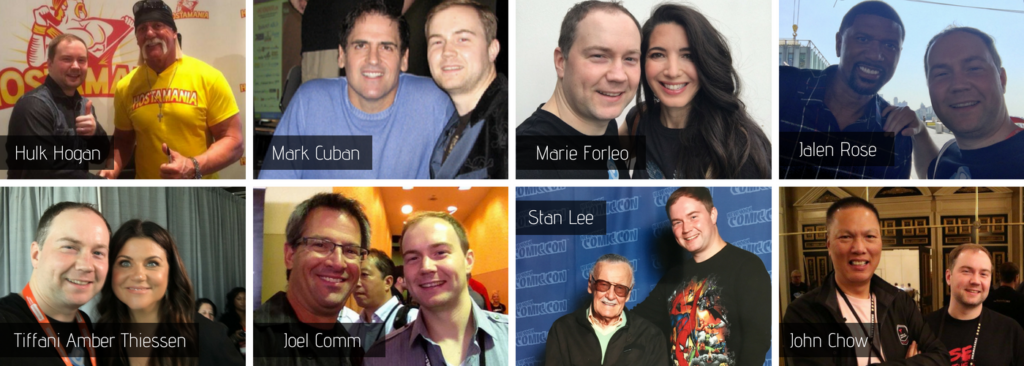
    Mark Cuban at BlogWorld in Las Vegas.

The Man Behind the Mask

The Man Behind the Mask "With great power comes great responsibility".... my Uncle Ben told me that. Haha, just kidding! I'm Zac Johnson and I've been making money online for over 10 years now. In short, I started making money online while I was in high school... but my passion for marketing and making money goes back way earlier than that. I created ZacJohnson.com to help motivate you to start making money online, and live the life the you always dreamed of.
[Read my full bio...]