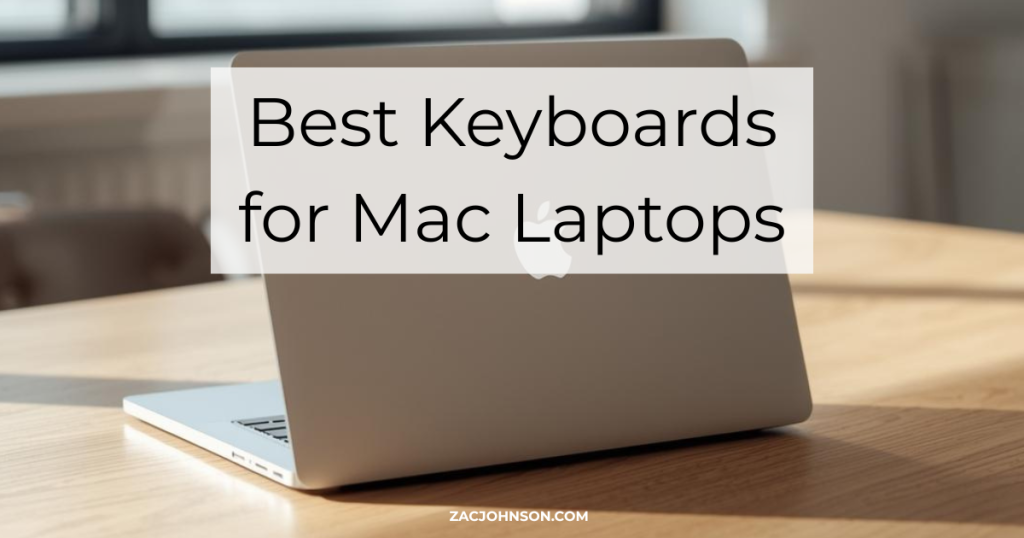
Best Keyboards for Mac Laptops (2026) Reviewed
Need a dedicated keyboard for your MacBook setup? Whether you work at a desk with an external monitor or want a better typing experience than the built-in keys, here are the best Mac-compatible keyboards across every budget and use case.
What to Look For
- Mac Layout — Look for keyboards with native macOS key placement including Command, Option, and function row shortcuts for Spotlight, Mission Control, and media controls.
- Connectivity — Bluetooth is essential for a clean setup; multi-device pairing lets you switch between your Mac, iPad, and iPhone with one keyboard.
- Switch Type — Scissor switches offer a familiar MacBook feel; mechanical switches provide more tactile feedback and longer lifespan.
- Profile — Low-profile keyboards sit closer to the desk and require no wrist rest; standard-height mechanicals offer deeper key travel.
- Battery — USB-C rechargeable batteries are most convenient; some keyboards run months between charges.
Best Keyboards for Mac Laptops
Logitech MX Keys S for Mac — Best Overall
The most complete typing experience for Mac users who want premium features without going mechanical.
The MX Keys S for Mac delivers a laptop-like typing experience with spherically dished keys that guide your fingers into position. Smart backlighting activates when your hands approach and adjusts to ambient light conditions. The Logi Options+ software unlocks Smart Actions for automating repetitive tasks with a single keystroke.
Pros
- Dedicated Mac key layout with Space Gray finish matches Apple devices
- Connects to three devices and switches instantly between them
- 10-day battery life with backlighting on; up to five months with it off
- USB-C charging and stable Bluetooth Low Energy connection
Cons
- Full-size footprint takes up desk space
- No mechanical switch option for tactile feedback lovers
Best for: Mac professionals who want a refined typing experience with productivity features.

Apple Magic Keyboard with Touch ID and Numeric Keypad — Best for Apple Purists
The only keyboard with Touch ID for secure logins and Apple Pay on desktop Macs.
Apple’s flagship keyboard integrates Touch ID directly into the top-right corner for fast authentication on any Mac with Apple Silicon. The extended layout includes a numeric keypad, document navigation controls, and full-size arrow keys. It pairs automatically with your Mac and charges via USB-C.
Pros
- Touch ID enables biometric login and Apple Pay without reaching for your MacBook
- Seamless pairing with Apple Silicon Macs; just turn it on and go
- Month-long battery life between charges
- Identical key feel to current MacBook keyboards
Cons
- Touch ID only works with Apple Silicon Macs
- Premium price compared to third-party options
- No backlighting
Best for: Mac users who want seamless Apple integration and Touch ID convenience.

Keychron K2 — Best Mechanical
A compact mechanical keyboard built for Mac from the ground up with wireless connectivity.
The K2 packs a 75% layout into an aluminum frame with native Mac key placement and extra Windows keycaps included. Bluetooth 5.1 connects to three devices with reliable switching, and the 4000mAh battery delivers up to a week of use. Choose from tactile Brown, clicky Blue, or linear Red Gateron switches.
Pros
- Dedicated Mac layout with screenshot shortcut and function keys
- Hot-swappable version available for customizing switches without soldering
- Both wireless and wired USB-C modes
- Compact 75% layout retains arrow and function keys
Cons
- Taller profile requires a wrist rest for comfortable extended typing
- Bluetooth can occasionally lag on wake from sleep
Best for: Mac users who want mechanical switches with a proper macOS layout.
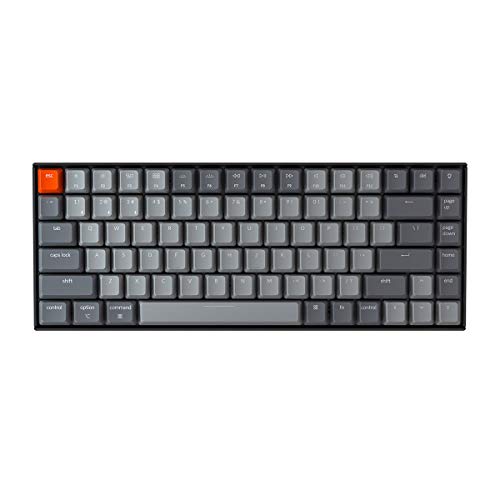
Keychron K3 — Best Low-Profile Mechanical
Mechanical switches in an ultra-slim body that works like a laptop keyboard but feels better.
The K3 uses low-profile Gateron switches that are 40% slimmer than standard mechanicals, making the entire keyboard thin enough to use without a wrist rest. The aluminum frame keeps weight down for portability while the 75% layout maintains all essential keys. White backlighting helps in dim environments.
Pros
- Thinnest mechanical keyboard available with proper Mac support
- No wrist rest needed thanks to laptop-like height
- Hot-swappable optical switches on select versions
- 34+ hours of battery with backlighting on
Cons
- Low-profile switches feel different from standard mechanicals
- Limited switch options compared to K2
Best for: Mac users who want mechanical feel without the bulk.
NuPhy Air75 V2 — Best for Enthusiasts
A customizable low-profile mechanical with QMK/VIA support and premium build quality.
The Air75 V2 takes the low-profile mechanical concept further with QMK/VIA firmware for complete key remapping and macro creation. RGB side bars indicate connection status and battery level. The 4000mAh battery lasts up to 220 hours with lighting off, and PBT keycaps resist shine and oil over time.
Pros
- Full QMK/VIA customization for endless key remapping possibilities
- Hot-swappable switches with multiple Gateron options
- PBT keycaps maintain texture longer than ABS
- Connects to four devices via Bluetooth 5.1, 2.4GHz, and USB-C
Cons
- RGB underglow only; keycaps are not backlit
- Higher price than Keychron alternatives
Best for: Keyboard enthusiasts who want deep customization in a portable package.
Logitech K380 for Mac — Best Budget
A compact multi-device keyboard that costs less than a nice lunch.
The K380 connects to three Bluetooth devices and switches between them with dedicated buttons. The Mac version has a proper Apple key layout, and the compact design fits easily in a bag. Two AAA batteries last up to two years, eliminating charging hassles entirely.
Pros
- Incredibly affordable for a quality Bluetooth keyboard
- Two-year battery life with replaceable AAAs
- Compact and lightweight for travel
- Easy-Switch buttons toggle between three paired devices
Cons
- Rounded keys take adjustment if you’re used to standard shapes
- No backlighting
- Membrane switches lack tactile feedback
Best for: Budget-conscious users who need multi-device Bluetooth on the go.
Satechi Slim X3 — Best Apple Aesthetic Match
An extended keyboard with backlit keys that looks like Apple made it.
The Slim X3 mirrors Apple’s design language with an aluminum finish available in Space Gray or Silver. Ten levels of adjustable backlighting help in low-light environments, and the full numeric keypad suits anyone working with spreadsheets. Pairs with up to four Bluetooth devices.
Pros
- Closest visual match to Apple’s Magic Keyboard aesthetic
- Ten-level adjustable backlighting
- Full numeric keypad included
- USB-C rechargeable with four-device Bluetooth pairing
Cons
- macOS only; no Windows compatibility
- Scissor switches may feel mushy compared to mechanicals
Best for: Mac users who prioritize aesthetics and want backlighting Apple doesn’t offer.
iClever BK10 — Best Value
A full-size wireless keyboard with premium features at an entry-level price.
The BK10 delivers a stainless steel and ABS build with a full numeric keypad, multimedia hotkeys, and Bluetooth 5.1 connectivity to three devices. The scissor-switch keys are quiet enough for office use, and USB-C charging provides up to 45 days of battery life.
Pros
- Full-size layout with numeric keypad at a budget price
- Stainless steel construction feels more premium than expected
- 45 days of battery life with USB-C charging
- Auto OS detection maps keys correctly for Mac or Windows
Cons
- No backlighting
- Scissor keys lack the crispness of Apple or Logitech
Best for: Budget shoppers who need a full-size keyboard without compromising build quality.
Verdict
For most Mac users, the Logitech MX Keys S for Mac offers the best combination of typing comfort, smart features, and seamless multi-device connectivity. If you want mechanical switches, the Keychron K2 delivers the best Mac-first mechanical experience. On a tight budget, the Logitech K380 for Mac handles multi-device switching for a fraction of the price.